Marketplaces and platforms
Two-sided products where people search, compare, message and book, like the Atlas freelancer platform.

Web applications · products people use
Fresh & Crispy designs and builds web applications for UK businesses. We plan the user journeys, design the screens and build the working app, from customer portals and booking systems to marketplaces and internal tools, with the scope agreed in writing before work starts.
Your process has outgrown spreadsheets, inboxes and workarounds.
A web application is software that runs in the browser. It lets people sign in and get something done, rather than just read about you. Many businesses reach the point where the real work happens across email threads, shared spreadsheets and off-the-shelf tools that almost fit. Every handover costs time, and customers feel the friction. A well-planned web app puts that work in one place.
Every app is different, but most fall into a few familiar shapes. We start from the job your users need to get done, then decide which features the first version needs.
Two-sided products where people search, compare, message and book, like the Atlas freelancer platform.
Secure areas where customers sign in to see their account, documents, orders or progress without emailing you.
Tools that take enquiries, bookings or requests, check the details and route them to the right person.
Admin panels, workflows and dashboards that replace spreadsheets and give your team one source of truth.
A web app is a bigger commitment than a website. Here is how we tell the difference, and we will say so plainly if something simpler would do the job.
Your proposal names the features, user roles, review points, responsibilities and exclusions before build begins. We help you decide what belongs in the first version and what can wait until real people are using it.
See how projects are priced →You approve the journeys before the screens, and the screens before the full build. That keeps expensive surprises out of the project and gives you real chances to change direction.
Understand your users, the process the app replaces, the data involved, your business priorities and the technical constraints.
Output: users, journeys and prioritiesConfirm the first-release features, user roles, integrations, review rounds, ownership and exclusions.
Output: written scope and project planMove from journeys to screen designs to a working app, with regular reviews of real, clickable progress.
Output: approved designs and a working appComplete the security, accessibility, performance and journey checks included in the scope, then launch and hand over.
Output: checked release and handoverWant the detail? Read the full delivery process.
We do not publish a package price for web apps, because the work depends on what the app has to do. The proposal states the price or pricing basis, assumptions and exclusions before you commit.
Atlas.select · website and web app
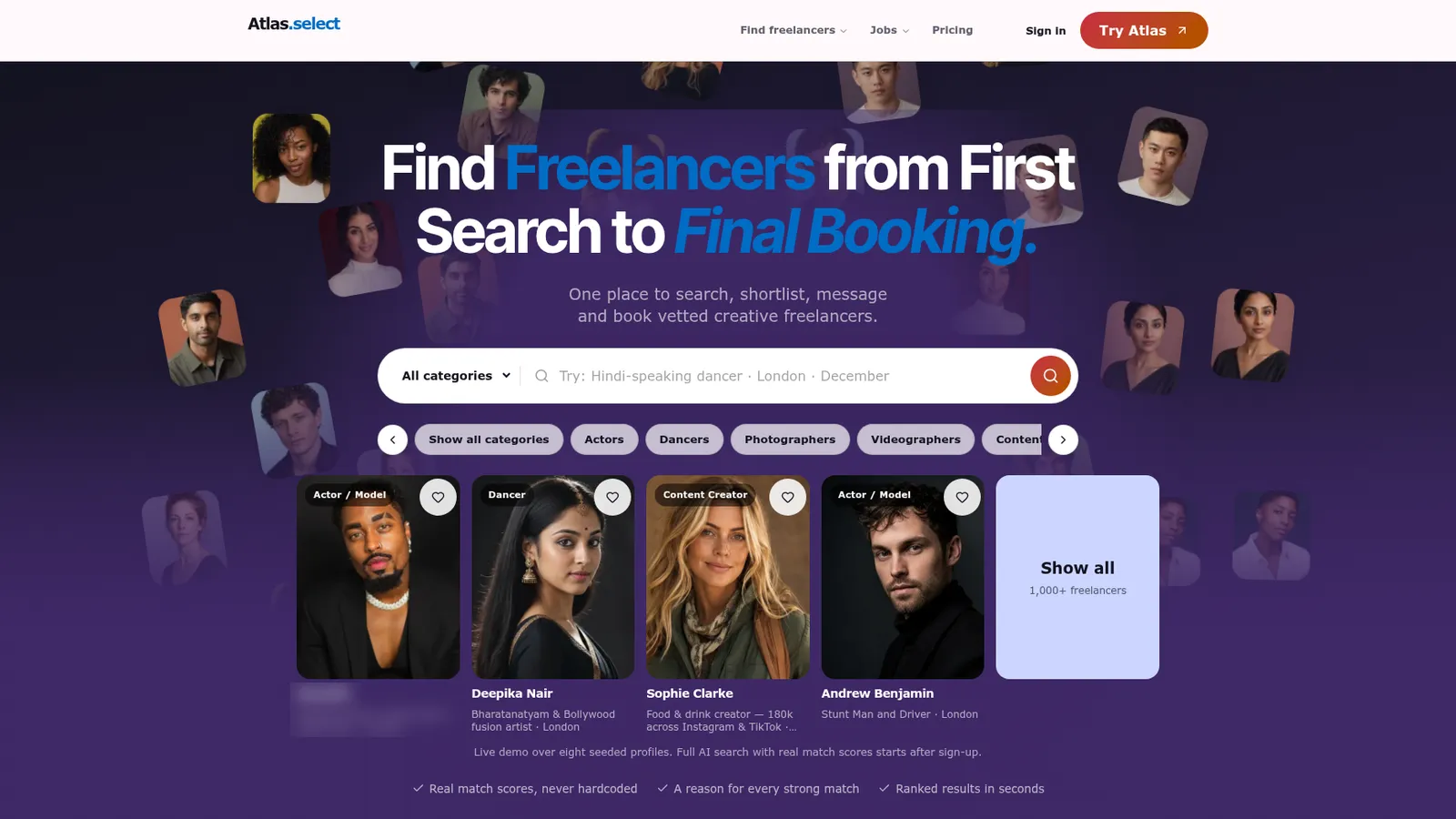
Atlas lets creative teams search for vetted freelancers in plain words, shortlist the best matches, message them and agree a booking, all in one web app. We designed the public website and designed and built the application behind it.
Straight answers now prevent scope disputes and surprises later. If yours is not here, ask it on a call.
A web application is software that runs in the browser. Unlike a normal website, which mostly shows information, a web app lets people do things: sign in, search, save, message, book or manage data. Customer portals, booking systems, marketplaces and internal dashboards are all web apps. People use them on a laptop or phone without installing anything.
There is no fixed price, because two apps with the same number of screens can need very different work. Cost depends on the user roles, the core features, the data involved, integrations such as payments or email, and how much you want in the first release. Your proposal states the scope, exclusions and price or pricing basis before you commit.
It depends on the features in the first release, how clear the requirements are and how quickly decisions get made. We will not quote a timeline before we understand those things. We usually recommend a focused first version that proves the core idea, then add features once real people are using it. The proposal sets out the stages and review points.
Yes. We plan the user journeys, design the screens and build the working application, so design and engineering decisions are made together. If your product also needs a public website to explain it and bring people in, we can design that too, as we did for Atlas. You get one team instead of three separate contracts.
Ownership of the design, code, content and accounts is written into the proposal before you commit. As a rule, your domain, hosting, database and third-party accounts should sit in your name rather than ours. That way you can move to another team later without being locked in, and your customer data stays under your control.
Yes. Most good web apps grow in stages. After launch we check that sign-up, core journeys, email and analytics work as intended. New features, fixes and ongoing support are scoped separately, so you pay for the work you choose and are never tied into a retainer just to keep the app running.
Tell us who the users are and what they need to get done. We will tell you honestly whether a web app is the right answer and what a sensible first version looks like.
Need a website rather than an app? See our website design service.